in this lab we are performing two task –
- Configure access to NFS data store
- view NFS storage information
Task-1 configure access to NFS data store
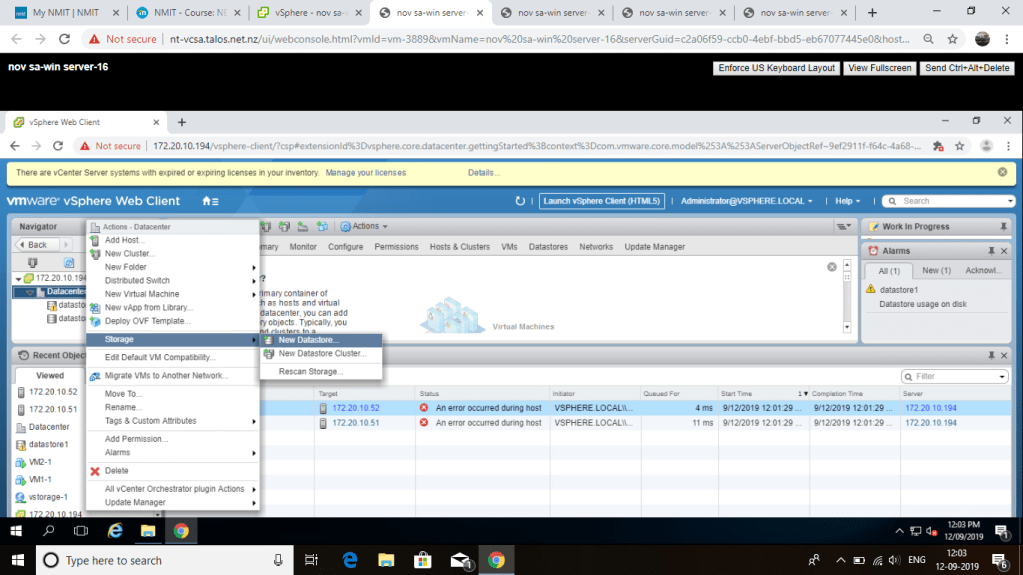
open web client server right click on data center go to storage and select new data store

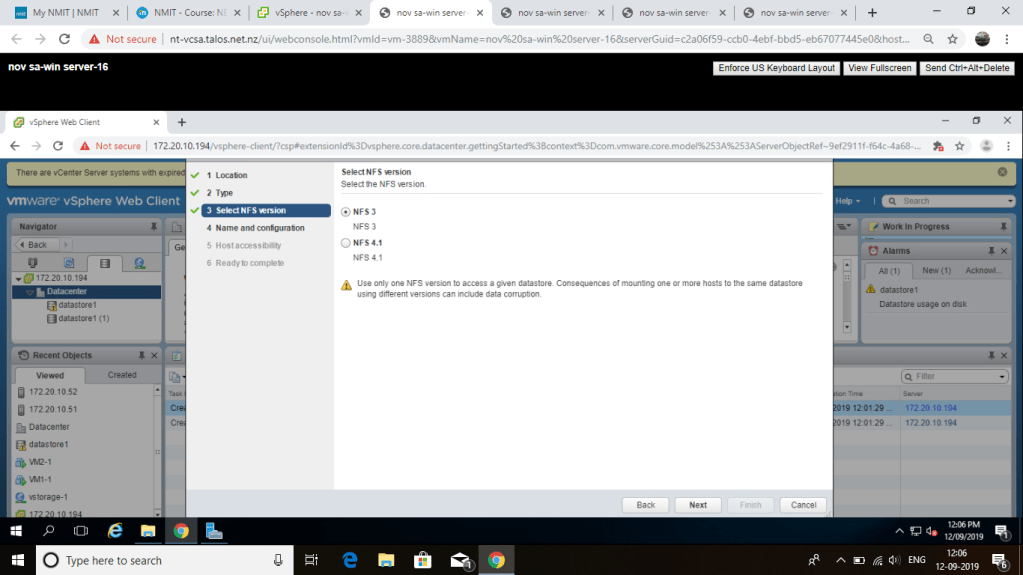
select NFS version tick on NFS 3 click next
select both ESxi host and click next

click on finish

Task-2 view NFS storage information
after configuring NFS storage we are going to view about that storage
in the left hand side go to the data store-NFS ,expand the detail option and we can see the information type ,host ,server
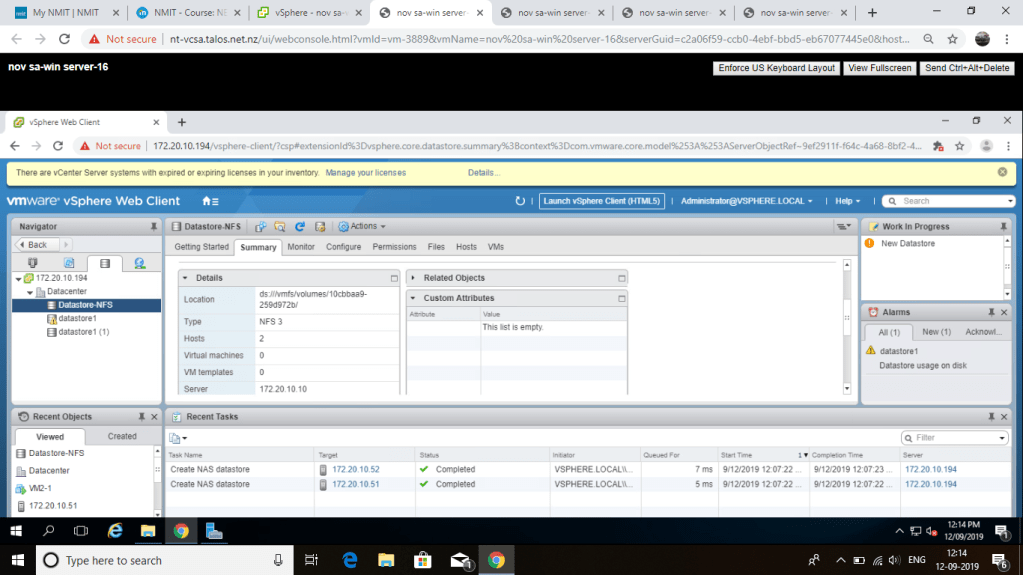
so ,this is the end of lab 10 , their is no any trouble shooting problem in this lab .its simple for doing
 NET701 ,ENTERPRISE INFRASTRUCTURE